
Cross-Application Sync
Dolibarr to Odoo Customer Sync via Dynamic Orchestration
Demonstrated March 22, 2026 using PolySniffer, Mapping Engine, and RabbitMQ
This page documents a live demonstration of PolySaaS cross-application sync: creating a new customer in Dolibarr ERP and automatically synchronizing it to Odoo CRM as a contact/partner. The process uses PolySniffer for traffic capture, the Mapping Engine for field transformation, RabbitMQ as the message broker, and Dynamic Orchestration to wire it all together with zero code changes.
End-to-End Data Flow
POST /societe/card.phppolysaas.crossapp.customer.created)res.partner.create() — customer appears in Odoo ContactsStep-by-Step: Sniffing Dolibarr
Step 1 — Launch PolySniffer for Dolibarr
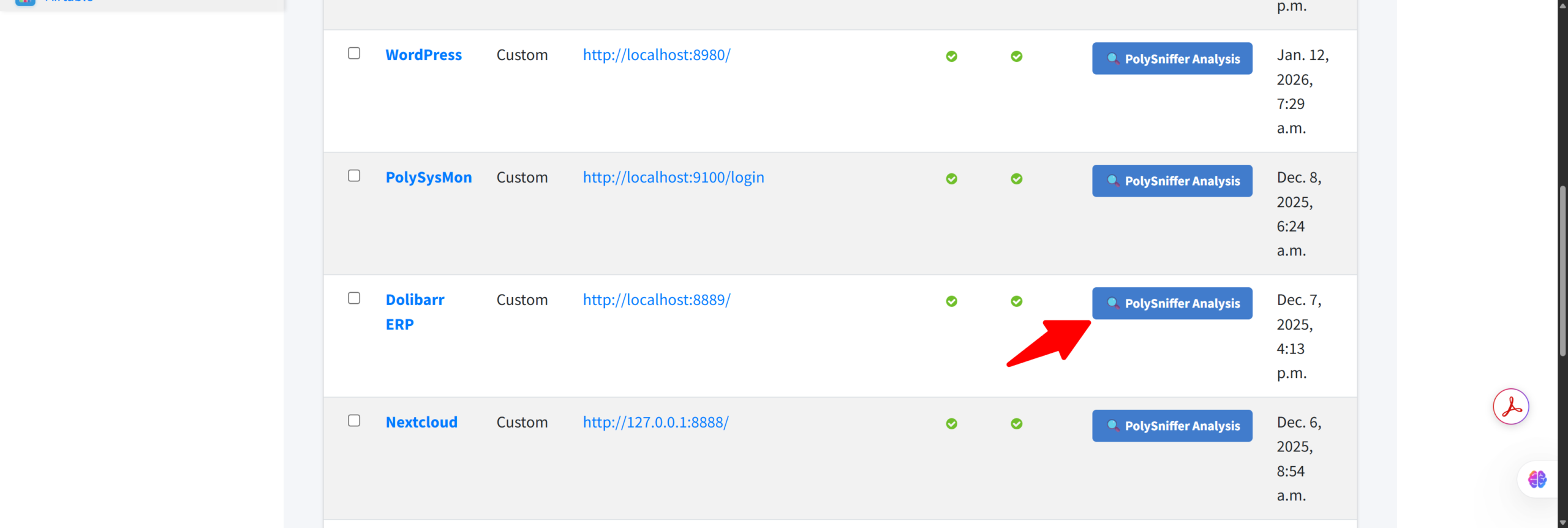
In the Django admin, each PassThrough endpoint has a PolySniffer Analysis button. Click it on the Dolibarr ERP row to start the traffic capture proxy.
Step 2 — PolySniffer Captures All Traffic
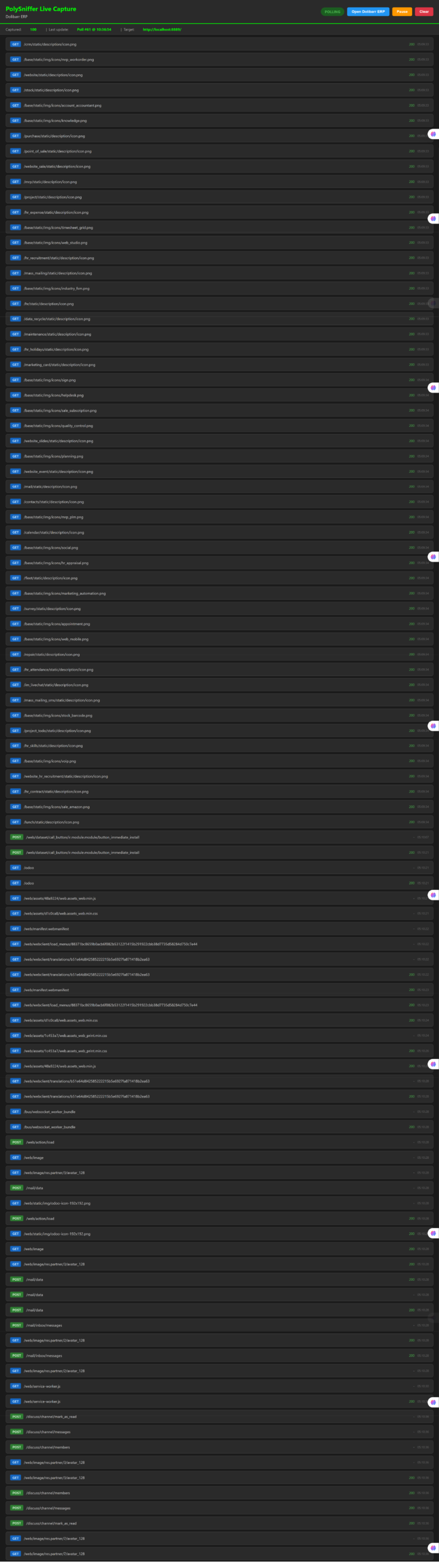
The PolySniffer dashboard shows every HTTP request in real time. As we navigate Dolibarr, every GET and POST is captured with full headers, cookies, and body content.
Step 3 — Login to Dolibarr Through the Proxy
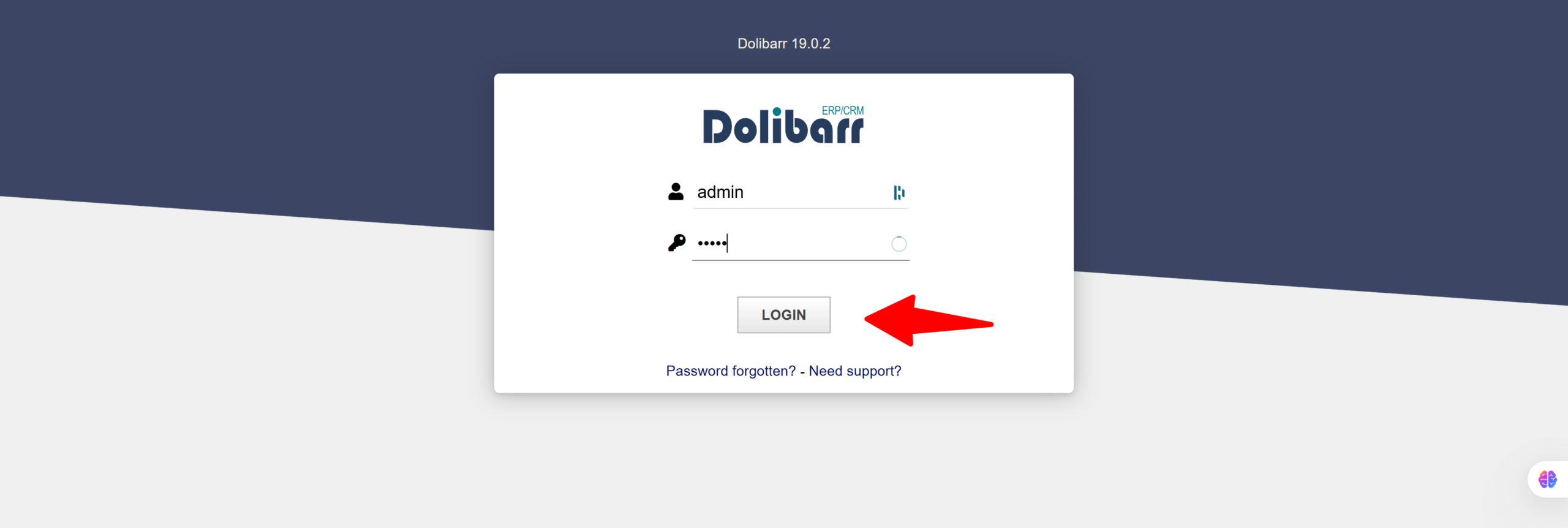
Dolibarr 19.0.2 loads through the PolySniffer proxy. The login request is captured, giving us the CSRF token pattern and authentication flow.
Step 4 — Navigate to Third-parties
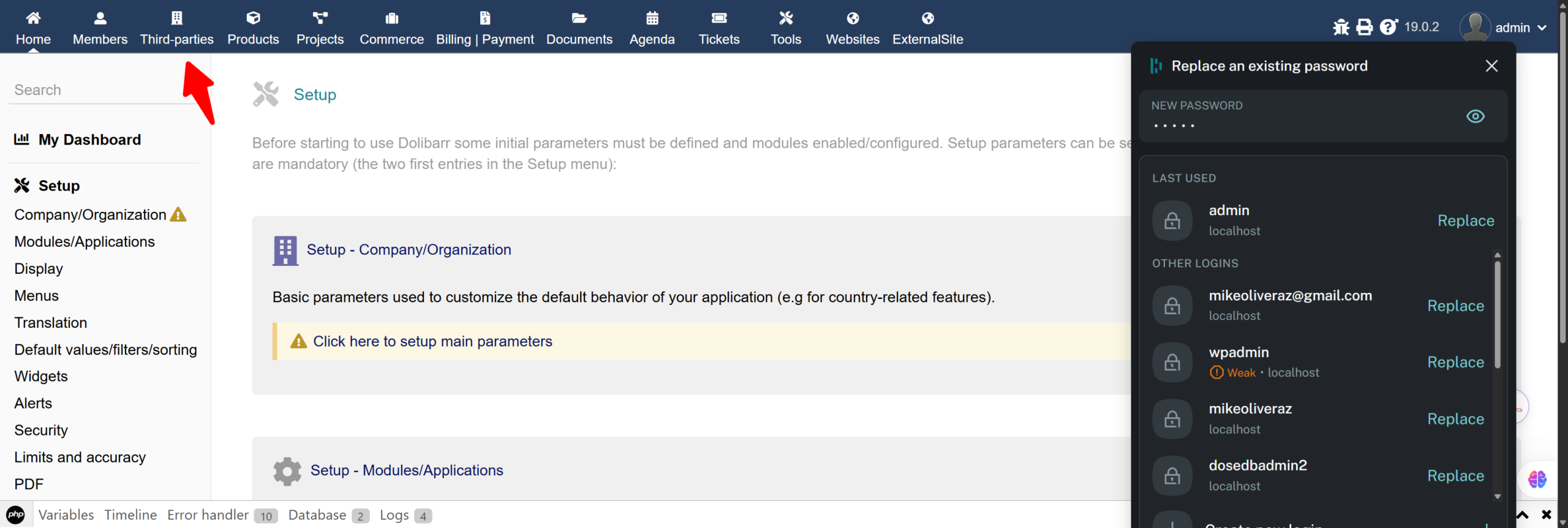
After login, the Dolibarr dashboard shows the full menu: Home, Members, Third-parties, Products, Projects, Commerce, Billing, and more. We navigate to Third-parties.
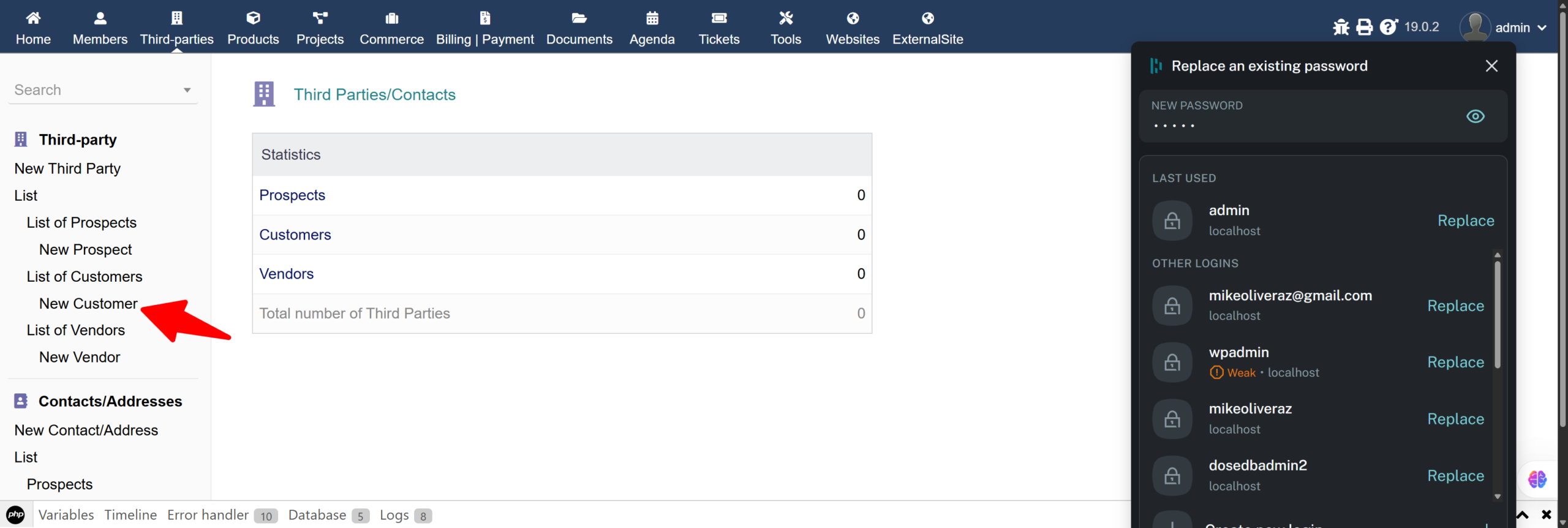
Step 5 — Select New Customer
The Third-parties sidebar shows the entity list. Statistics: 0 Prospects, 0 Customers, 0 Vendors. We click New Customer to begin.
Step 6 — Fill the New Third Party Form
The form captures comprehensive customer data. We fill in the fields that will be extracted by the Mapping Engine:
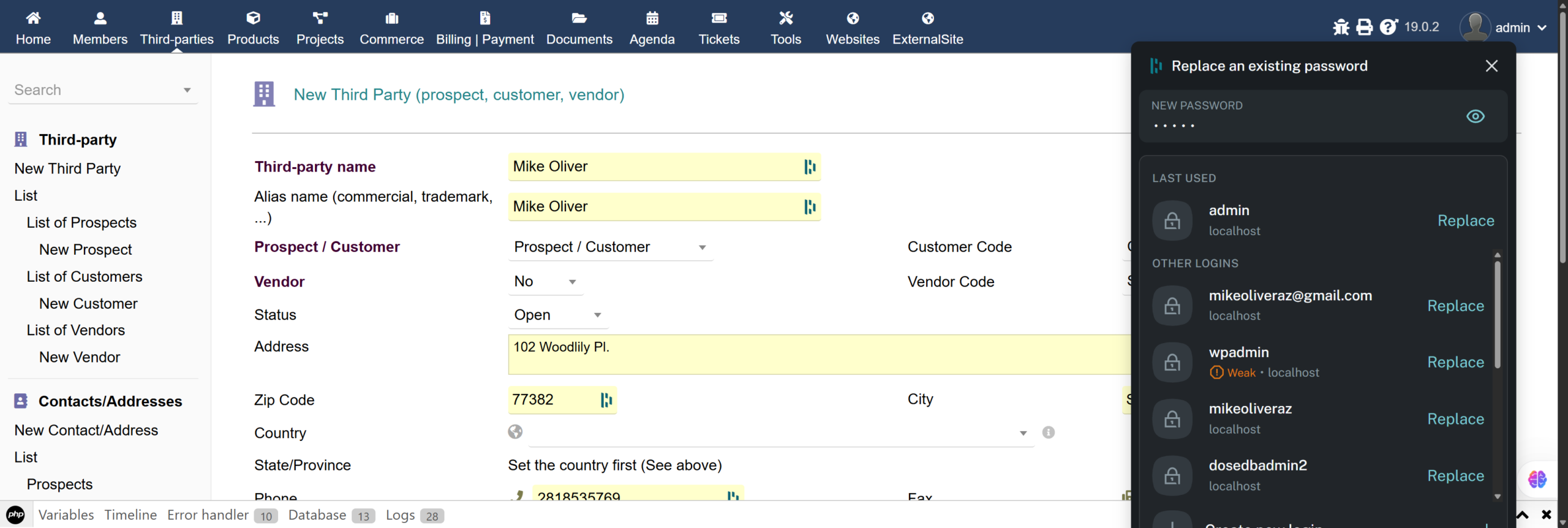
| Form Field | Value Entered | Normalized To |
|---|---|---|
| Third-party name | Mike Oliver | name |
| Alias | Mike Oliver | name_alias |
| Prospect / Customer | Prospect / Customer | is_customer = 1 |
| Address | 102 Woodlily Pl. | street |
| Zip Code | 77382 | zip |
| City | Spring | city |
| Phone | 2818535769 | phone |
| mikeoliveraz@gmail.com | email | |
| Third-party type | Workforce | typent_id |
Step 7 — Submit: Create Third Party
The bottom of the form shows Professional IDs, Sales tax (checked), Third-party type, and the sales representative assignment. Click CREATE THIRD PARTY.
When submitted, PolySniffer captures the full POST body with all 43 form fields, including the hidden CSRF token, action type, and all visible form values.
Step 8 — Customer Created in Dolibarr
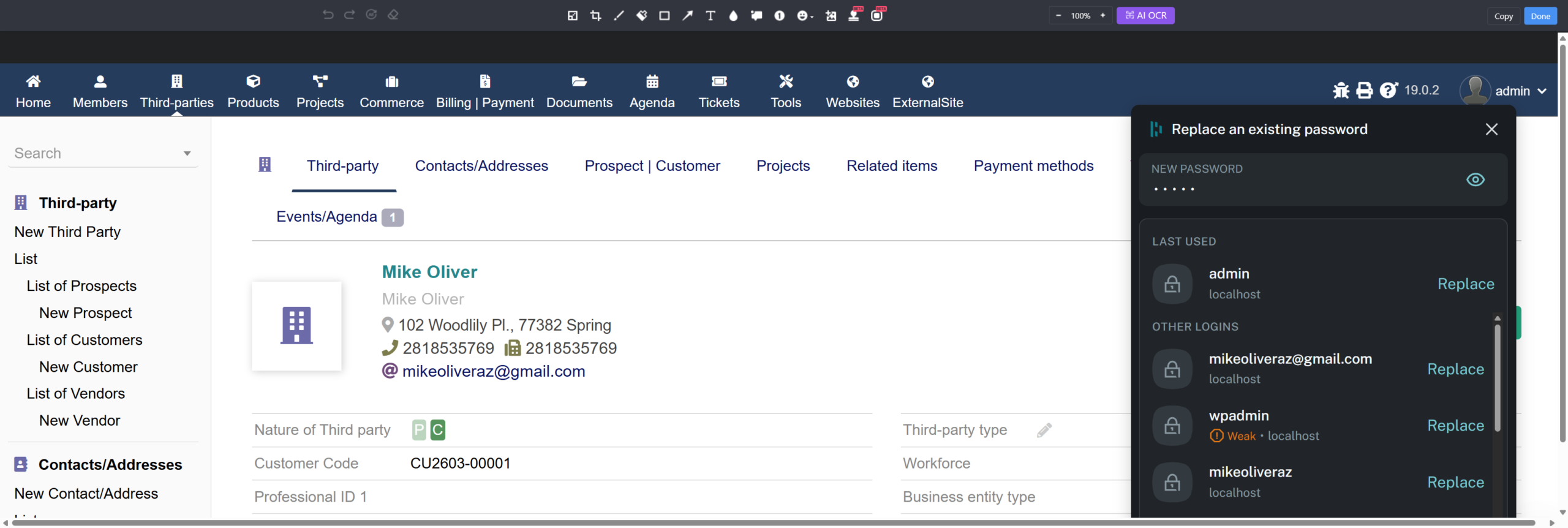
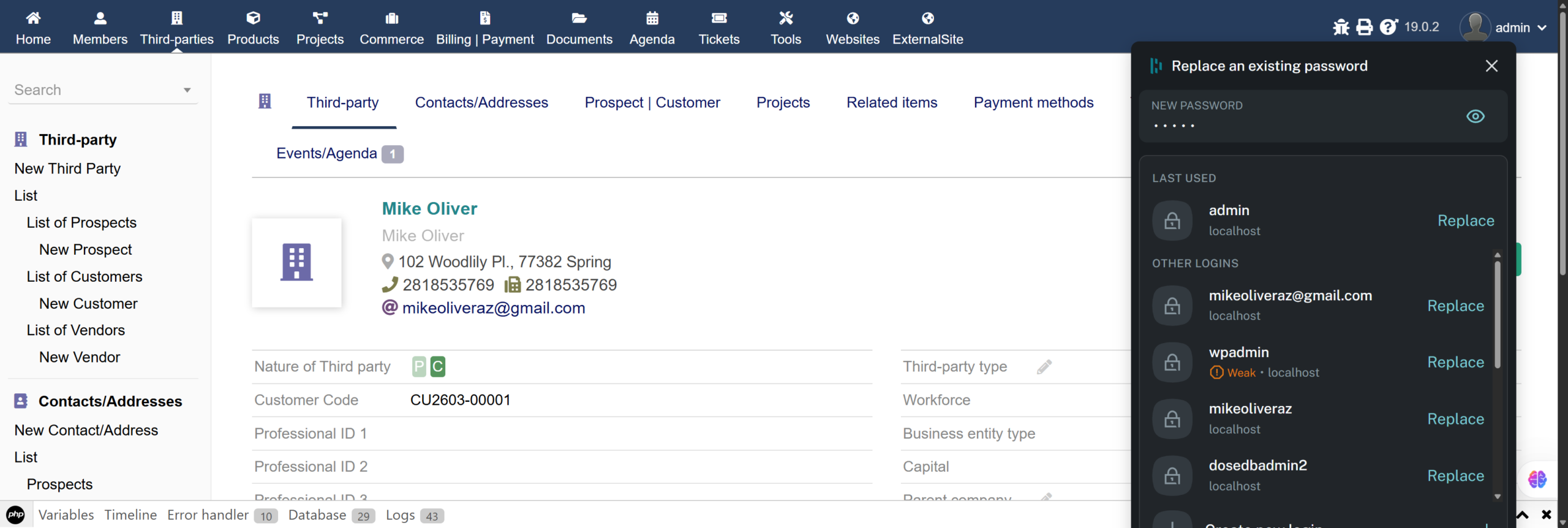
Dolibarr confirms the record with auto-generated Customer Code CU2603-00001. All entered data is displayed on the card view.
Result: Customer in Odoo
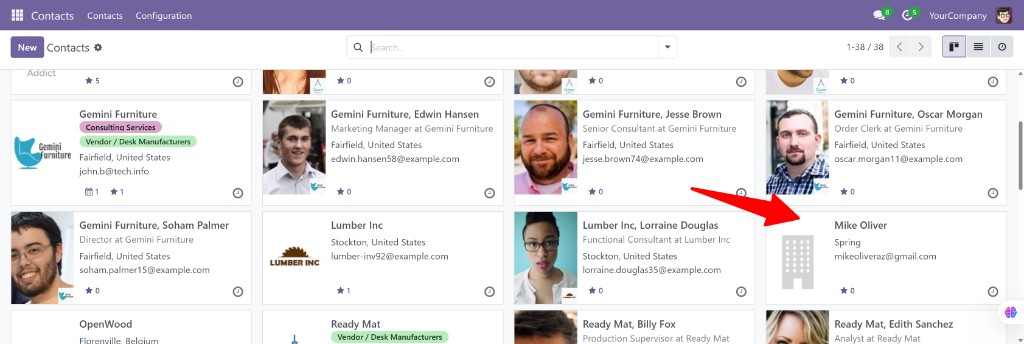
Step 9 — Mike Oliver Appears in Odoo Contacts
The sync chain completes: Dolibarr → Mapping Engine → RabbitMQ → Mapping Engine → Odoo XML-RPC. The customer record now appears in Odoo Contacts.
Step 10 — Full Record Detail in Odoo
Opening the contact record confirms every field was correctly mapped from the Dolibarr form through both Mapping Engine transformations:
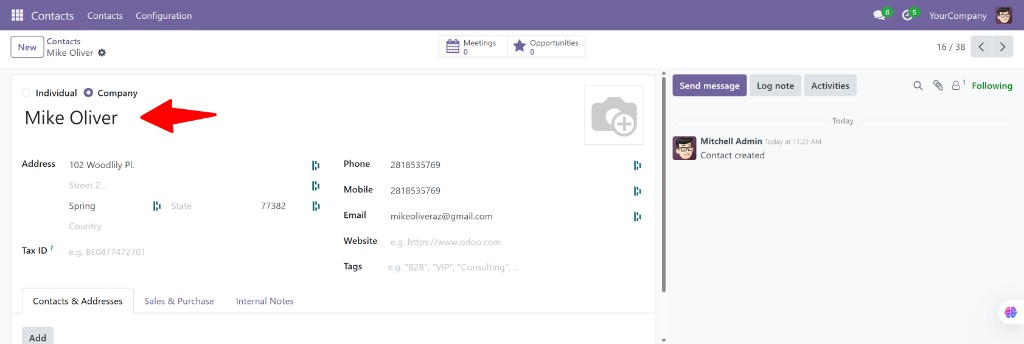
| Dolibarr Field | Normalized | Odoo Field | Value |
|---|---|---|---|
| name | name | name | Mike Oliver |
| address | street | street | 102 Woodlily Pl. |
| zipcode | zip | zip | 77382 |
| town | city | city | Spring |
| phone | phone | phone | 2818535769 |
| fax | fax | mobile | 2818535769 |
| mikeoliveraz@gmail.com | |||
| customer_code | customer_code | ref | CU2603-00001 |
Sync Complete — Zero code changes. Entirely driven by database-configured Mappings and Instructions.
Instructions: The Routing Rules
Instructions in the Tenant Admin
Instructions are the routing rules that connect incoming requests to atomic services. In the Oliver Enterprises tenant, two new Instructions were created for the cross-app sync flow:
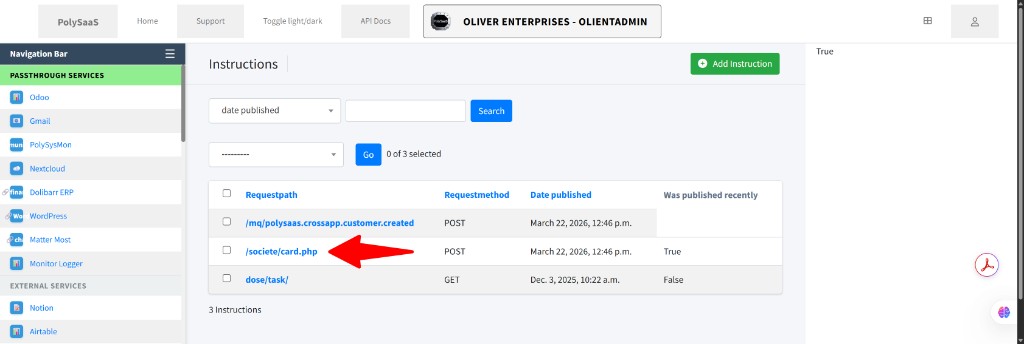
| Request Path | Method | Service | Purpose |
|---|---|---|---|
/societe/card.php | POST | EndpointDataExtractorService | Captures Dolibarr form POST, extracts & publishes to RabbitMQ |
/mq/polysaas.crossapp.customer.created | POST | OdooCustomerSyncService | Picks up MQ message, maps to Odoo partner, syncs via XML-RPC |
Instruction Detail: Dolibarr POST Capture
Each Instruction defines a requestpath (substring match), method, direction, and an eventKey for tracking. The Instruction Mappings tab links it to one or more Mapping records that define the field extraction logic.
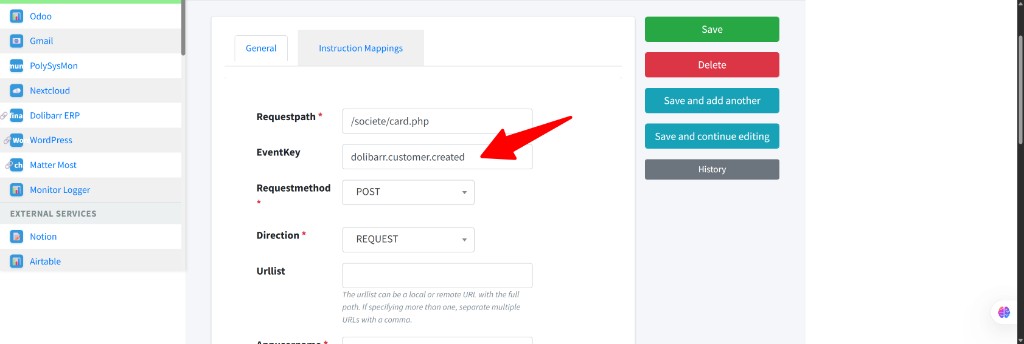
/societe/card.php, eventKey dolibarr.customer.created, method POST, direction REQUESTWhen any POST request passes through the proxy and its URL contains /societe/card.php, this Instruction fires the EndpointDataExtractorService, which uses the attached Mapping to extract and normalize the form fields.
The Mapping Engine
The Mapping Engine is database-driven — no code changes needed to add new integrations. Each mapping defines how to transform fields using an expression syntax with pipe operators:
Mapping 1: Dolibarr POST → Normalized Event
Direction: SOURCE → NORMALIZED
Extracts Dolibarr form fields and normalizes them into a cross-application customer event:
| Normalized Field | Expression | Result |
|---|---|---|
name | request.POST.name|strip | Mike Oliver |
email | request.POST.email|strip|lower|email | mikeoliveraz@gmail.com |
phone | request.POST.phone|strip|default:None | 2818535769 |
street | request.POST.address|strip | 102 Woodlily Pl. |
zip | request.POST.zipcode|strip | 77382 |
city | request.POST.town|strip | Spring |
is_customer | request.POST.client|int:1:0 | 1 |
customer_code | request.POST.customer_code|strip | CU2603-00001 |
Mapping 2: Normalized → Odoo res.partner
Direction: NORMALIZED → TARGET
Transforms the normalized event into Odoo-specific partner fields for XML-RPC sync:
| Odoo Field | Expression | Result |
|---|---|---|
name | payload.name | Mike Oliver |
email | payload.email | mikeoliveraz@gmail.com |
customer_rank | payload.is_customer|int:1:0 | 1 |
ref | payload.customer_code|default:None | CU2603-00001 |
is_company | 'True'|bool | True |
street | payload.street | 102 Woodlily Pl. |
city | payload.city | Spring |
Pipe operators include: |strip, |lower, |upper, |email (validate), |int:1:0 (conditional cast), |default:value, |truncate:120, |prefix:DOL-, |bool, |if:path, and |coalesce:fallback.path. All configurable from the admin — no deployment needed.
Technology Stack
| Component | Role | Status |
|---|---|---|
| PolySniffer | Passive traffic capture to discover form fields and POST paths | Active |
| Mapping Engine | Database-driven field extraction and transformation with pipe expressions | Active |
| RabbitMQ | Message broker between source extraction and target sync services | Active |
| Atomic Services | EndpointDataExtractorService + OdooCustomerSyncService | Active |
| Instructions | Path-based routing: /societe/card.php and /mq/... | Active |
| Passthrough Proxy | Transparent proxy for accessing Dolibarr through PolySaaS | Handler Pending |
| Odoo XML-RPC | Creates/updates res.partner records in Odoo CRM | Active |
Cross-application sync is just one example of what Dynamic Orchestration enables.
Dynamic Orchestration PolySniffer Schedule a Demo