Dynamic Orchestration
No-Code Workflow Automation
Dynamic Orchestration lets you customize workflows across your entire PolySaaS stack — without writing code. Connect applications, automate data flow, and trigger actions based on events. Your business rules, dynamically enforced across every application.
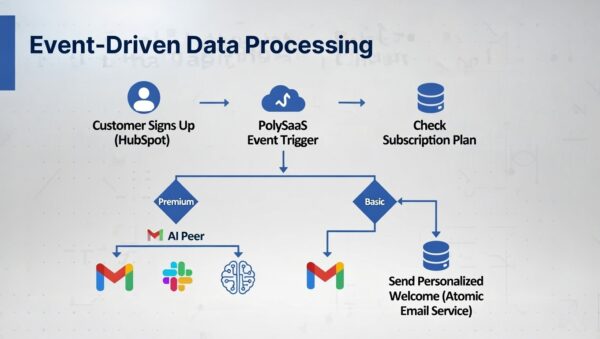
Event-driven architecture powering dynamic orchestration
Key Capabilities
Visual Workflow Builder
Define workflows using a visual interface. Drag triggers, conditions, and actions to create automation chains that span multiple applications.
Event-Driven Triggers
React to events from any application: new Odoo order, Nextcloud file upload, Mattermost message, or PolySniffer traffic pattern. Chain triggers for complex logic.
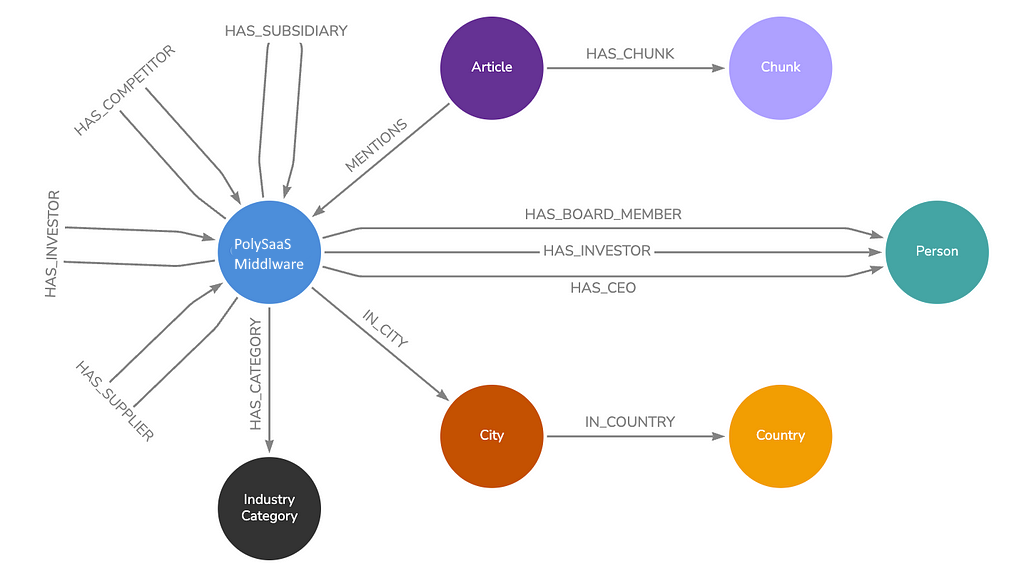
PolySaaS Middleware graph: event-driven relationships across entities, categories, and locations
Atomic Services
Each workflow step is an Atomic Service — a small, focused microservice that does one thing well. Compose them into powerful workflows without monolithic dependencies.
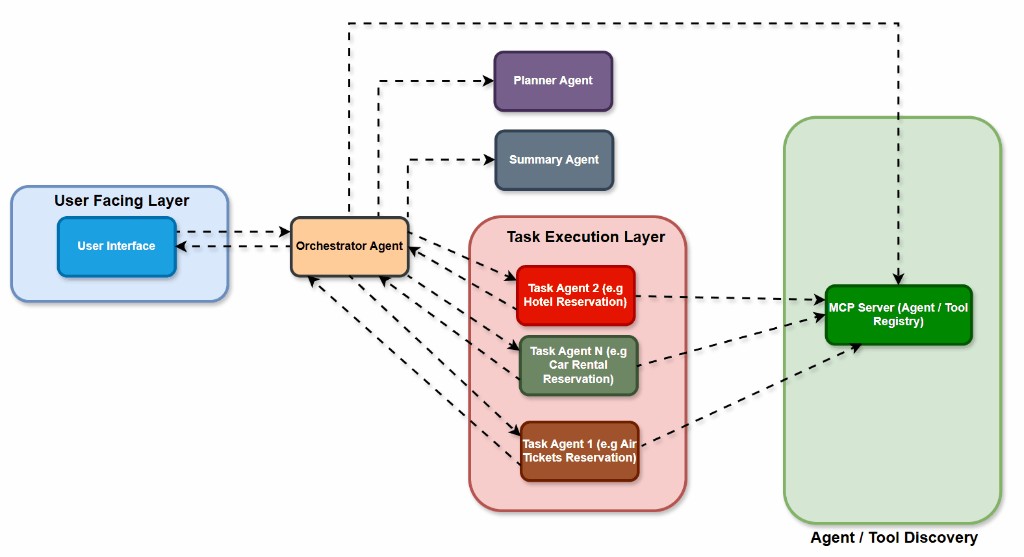
Agent-based orchestration: User Interface → Orchestrator → Task Agents → MCP Server
Dynamic Customization
Modify workflows at runtime without redeployment. Add new rules, change thresholds, or reroute data flows — all through the portal's administration interface.
See It In Action
Watch Dynamic Orchestration sync a new Dolibarr customer to Odoo CRM in real time — using PolySniffer, the Mapping Engine, and RabbitMQ.
Cross-Application Sync Demo →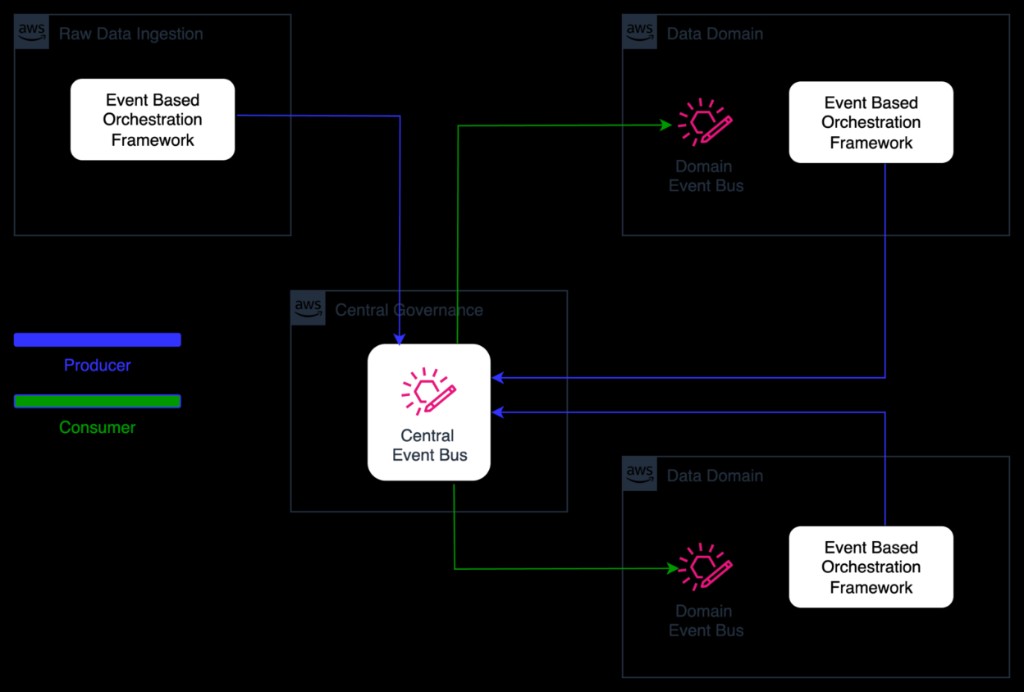
Event-based architecture: Central Event Bus connecting domain orchestration frameworks
PolySaaS Integration
Dynamic Orchestration is the automation layer of PolySaaS. It connects every bundled application through Atomic Services, enabling workflows like: 'When Odoo creates an invoice, store it in Nextcloud, notify the team in Mattermost, and update the Liferay portal dashboard.'
Stop Managing Tools. Start Orchestrating Them.
Join enterprises already running smarter with PolySaaS.